Image to PowerPoint & Figma-Ready Vector
Standard SVGs often break marker arrowheads or shift vertical text alignment inside PowerPoint. Fig2SVG includes one-click compatibility export built specifically for slides and Figma.
Create slide-ready SVG · Compare export features · Browse all examples
Why use Fig2SVG
- Flattened SVG marker arrowheads: Compatibility mode automatically converts <marker> arrowheads into explicit geometric polygons so arrows never vanish in PowerPoint or Figma.
- Normalized text baselines: Aligns dominant-baseline and anchor positioning cleanly across Office, Figma, and browser renderers.
- Modular object ZIP packs: Drop separate device diagrams, callout cards, or legends onto individual PowerPoint slides with crisp padded viewBoxes.
Importing converted SVGs into PowerPoint & Figma
| Compatibility Issue | Fig2SVG Compatibility ZIP | Raw Auto-Traced SVG |
|---|---|---|
| Arrowheads missing on PowerPoint import | Marker geometry baked into clean filled polygons | Often silently dropped by Office SVG importer |
| Text vertically shifted off-center | Normalized baselines & explicit tspan coordinates | No live text — frozen or distorted outline shapes |
| Ungrouping objects into PPT shapes | Semantic object/module groups separate cleanly | Creates hundreds of unmanageable tiny fragments |
| High-DPI blurry screenshots on projectors | Infinite crisp vector scaling at any slide zoom | Pixelated raster blur |
Matching Editable SVG Examples
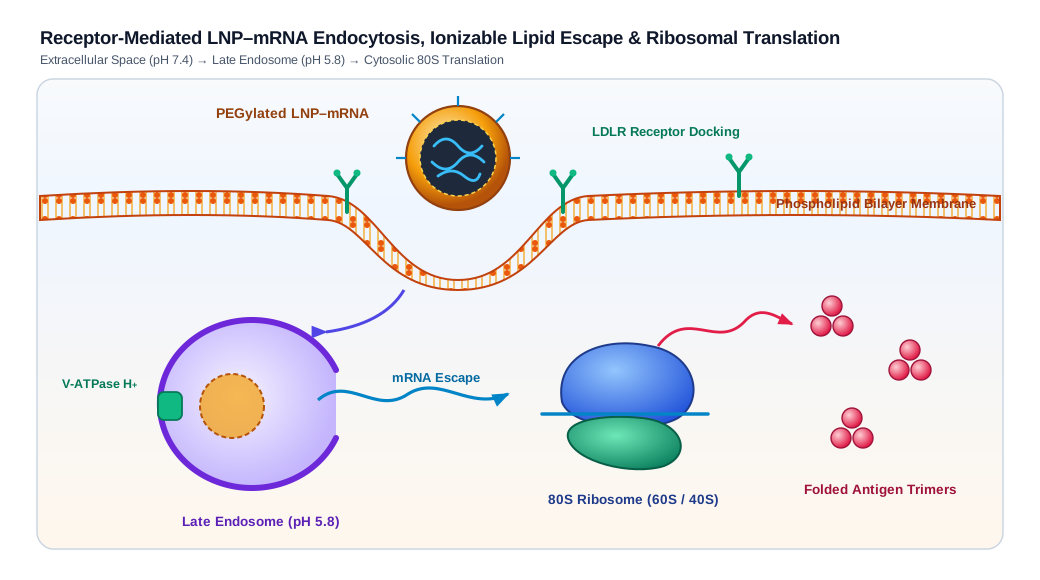
LNP-mRNA Cellular Endocytosis & Translation Mechanism — Scientific figures: Biomolecular illustration of lipid bilayer invagination, LDLR receptor-mediated LNP–mRNA uptake, late-endosomal proton escape, and 80S ribosomal antigen translation.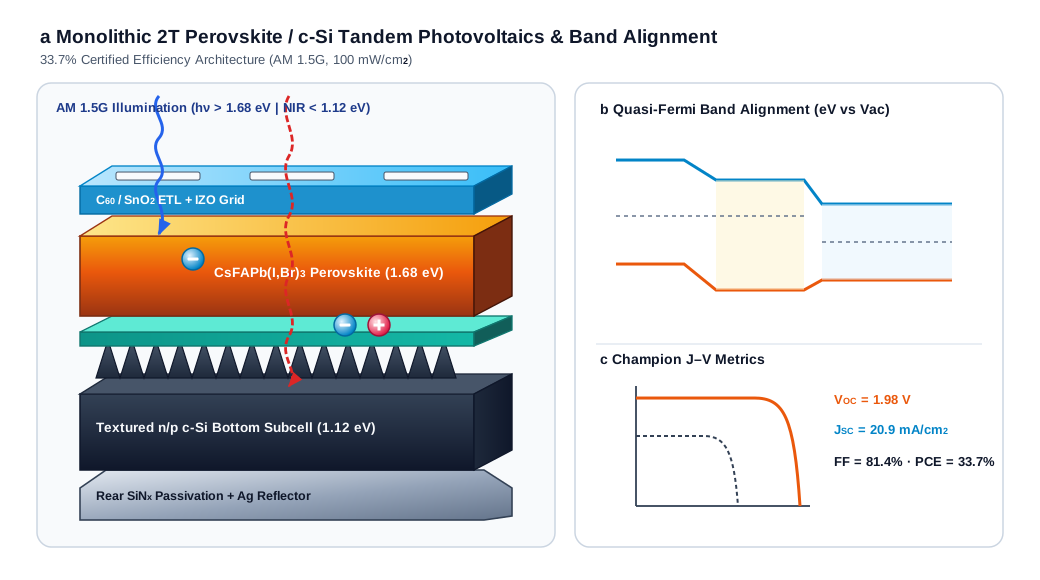
Perovskite-Silicon Tandem Solar Cell & Band Alignment — Scientific figures: 2.5D isometric perovskite/c-Si tandem heterostructure with textured Si pyramids, reusable e⁻/h⁺ photocarriers, quasi-Fermi band alignment, and J–V curve.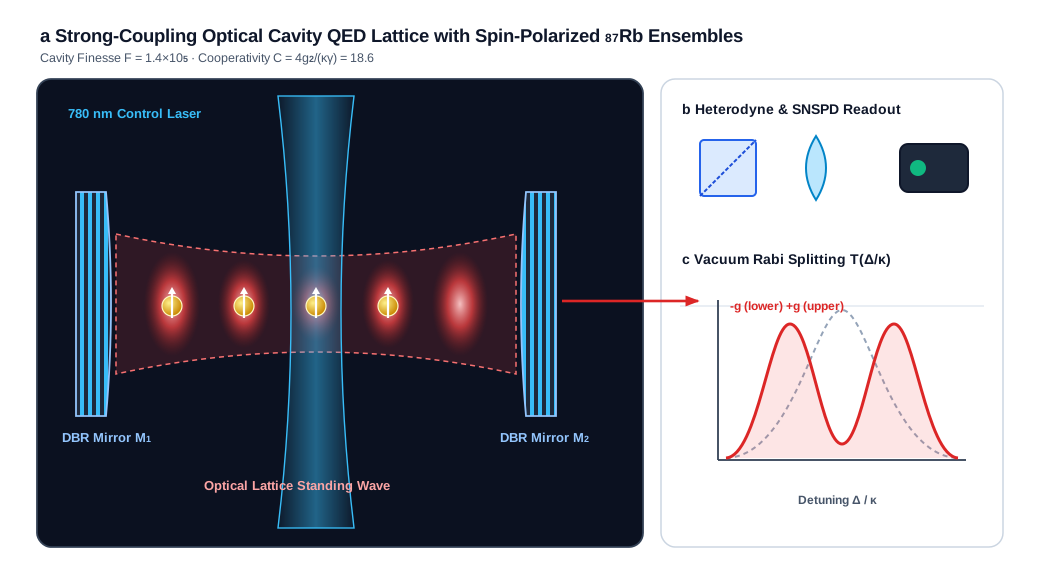
Cavity QED Optical Lattice & Vacuum Rabi Splitting — Scientific figures: High-finesse optical DBR cavity schematic with standing-wave Gaussian antinodes, spin-polarized 87Rb atoms, dichroic beam optics, and Vacuum Rabi Splitting spectrum.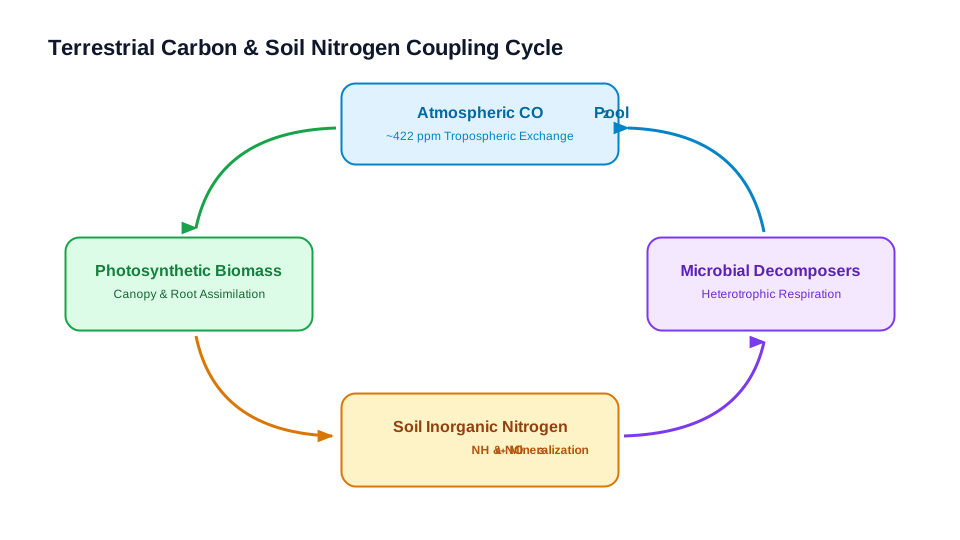
Ecosystem Carbon & Soil Nitrogen Cycle — Scientific figures: STEM teaching diagram with biogeochemical reservoirs, curved feedback arrows, and native chemical sub/superscripts.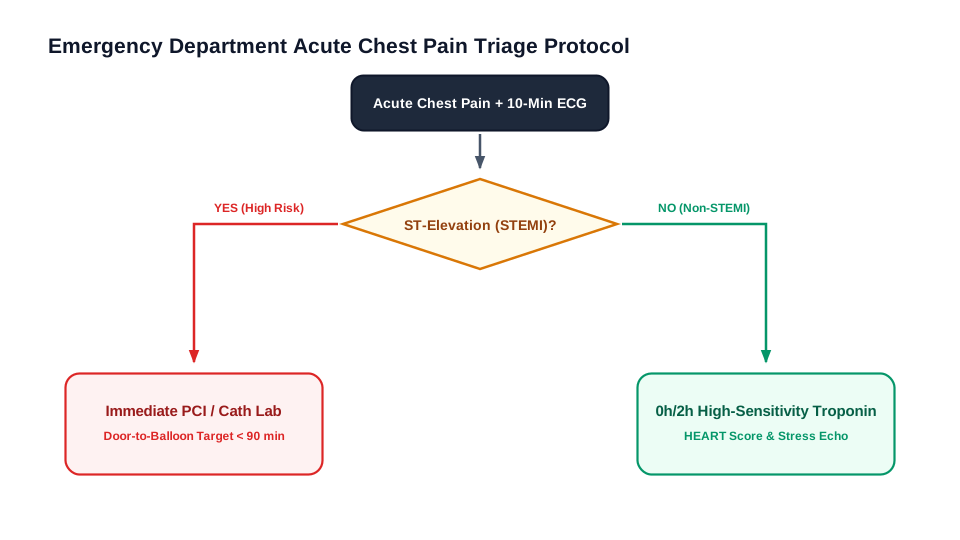
Clinical Acute Chest Pain Triage Decision Tree — Flowcharts & architecture: Clinical emergency triage decision tree with diamond assessment nodes, Yes/No pathways, and risk-stratified disposition cards.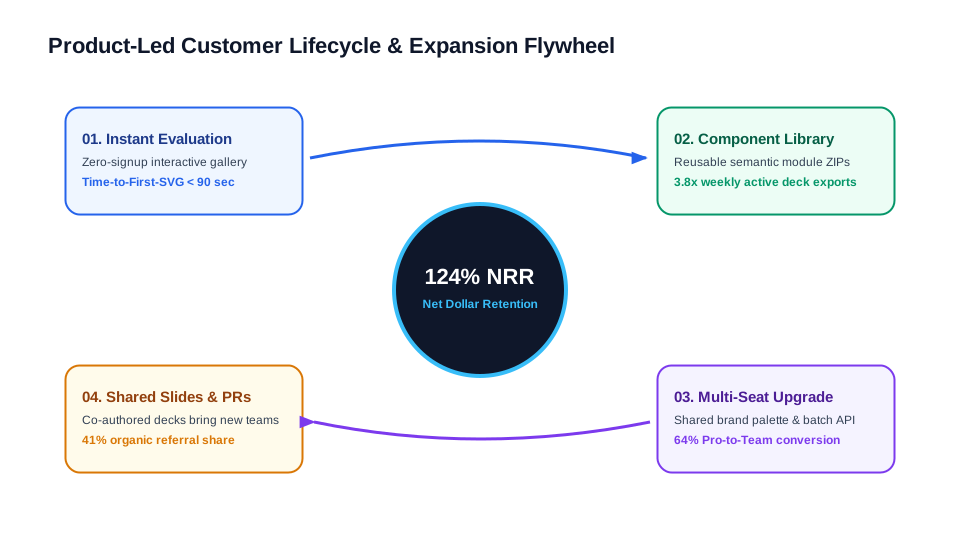
Customer Acquisition & Expansion Flywheel — Infographics: Product-led growth flywheel with central Net Dollar Retention core, four quadrant stage cards, and circular momentum connectors.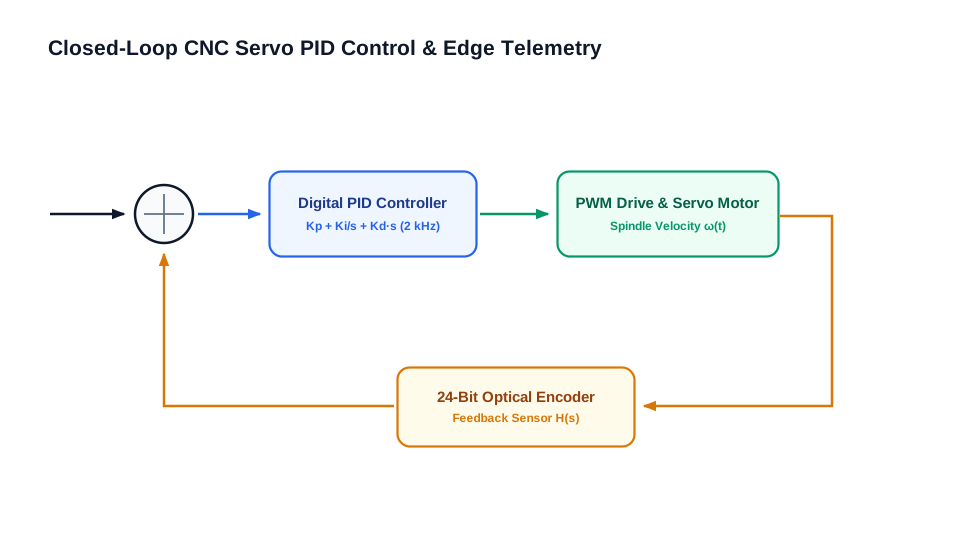
Industrial PID Control & Edge Telemetry Loop — Flowcharts & architecture: Closed-loop servo control schematic with summing junction, PID controller, PWM drive, optical encoder feedback, and telemetry bus.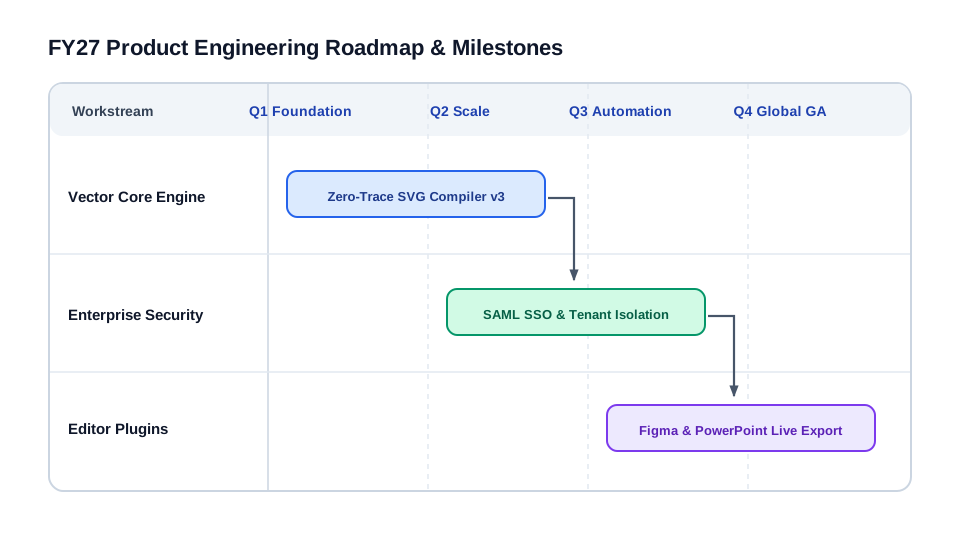
Product Engineering Roadmap & Dependency Timeline — Infographics: Quarterly engineering roadmap with swimlane tracks, milestone Gantt bars, and cross-team dependency arrows.
How it works
- Convert your slide figure on Fig2SVG: Upload any PNG or JPG from a PDF, paper, or whitepaper and let Fig2SVG rebuild clean vector groups.
- Open Export Options & toggle Compatibility: Check PowerPoint & Figma compatibility mode on the Downloads screen before exporting your SVG or ZIP.
- Insert -> Ungroup in PowerPoint or paste in Figma: Insert the exported SVG directly onto your slide, convert to shapes if needed, and resize infinitely with sharp text and arrows.
Frequently Asked Questions
Why do arrowheads sometimes disappear when importing normal SVGs into PowerPoint?
PowerPoint's SVG importer has incomplete support for SVG <marker> references. Fig2SVG's compatibility option resolves and flattens markers into explicit polygons automatically.
Does Figma accept compatibility SVGs cleanly?
Yes — both standard and flattened-compatibility SVGs import cleanly into Figma with named frame/object groups and live text layers.
Can I download only the chart or legend without the surrounding background?
Yes. Use the component checkboxes on the Result or Downloads page to export only selected objects or modules.
What if I have multiple figures for a thesis defense or pitch deck?
Go (100 cr), Plus (220 cr), and Pro (360 cr) plans include priority queue access and multi-figure ZIP downloads.
Related Vector Conversion Guides
- PNG to SVG with Editable Text — Preserve titles, axis labels, subscripts, superscripts, and Greek symbols as native <text> elements.
- Diagrams & Charts to SVG — Turn system architectures, flowcharts, sequence diagrams, PID loops, and business charts into editable vectors.
- PNG to Editable SVG — Rebuild PNG, JPG, and TIFF figures into layered vectors with separate objects, modules, and clean SVG paths.
- Fig2SVG vs Vectorizer.ai — Objective comparison: semantic SVG reconstruction with editable text & modules vs pixel boundary auto-tracing.
Need help or billing support? Contact support@fig2svg.online.