Flowcharts, Architecture & Charts to SVG
Turn frozen diagram PNGs from docs, PDFs, or whiteboards back into structured cards, connectors, icons, and editable labels.
Convert a diagram free · View plans & credits · Browse all examples
Why use Fig2SVG
- Clean boxes, cards & routed connectors: Orthogonal connectors, curved arrows, lifelines, and decision diamonds are rebuilt as crisp strokes instead of jagged traced edges.
- Fast Quick mode for clean flowcharts: Clean architecture diagrams and charts convert in just 10 credits with Quick tier — try 4 diagrams free on signup.
- Reusable diagram components: Export sub-sections like an API gateway block, legend panel, or stage card as standalone SVGs for slide decks and docs.
Recovering editable diagrams from frozen PNG/PDF screenshots
| Diagram Element | Fig2SVG Output | Generic Trace Output |
|---|---|---|
| Rounded rectangles & swimlanes | Clean <rect rx="..."> containers with crisp borders | Wobbly multi-node paths with rounded corner artifacts |
| Directional arrows & connectors | Explicit connector paths + clean arrowheads | Merged shapes attached to box outlines |
| Data bars, donuts & trendlines | Editable geometry with live numeric labels | Unsearchable flat blobs |
| Semantic sections / modules | Grouped layer blocks (header, stages, legend) | Ungrouped path list |
Matching Editable SVG Examples
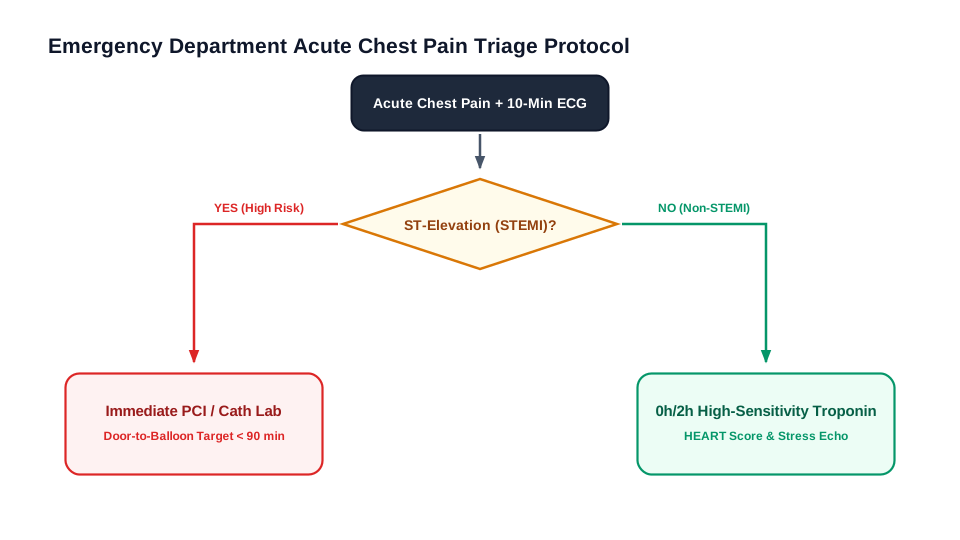
Clinical Acute Chest Pain Triage Decision Tree — Flowcharts & architecture: Clinical emergency triage decision tree with diamond assessment nodes, Yes/No pathways, and risk-stratified disposition cards.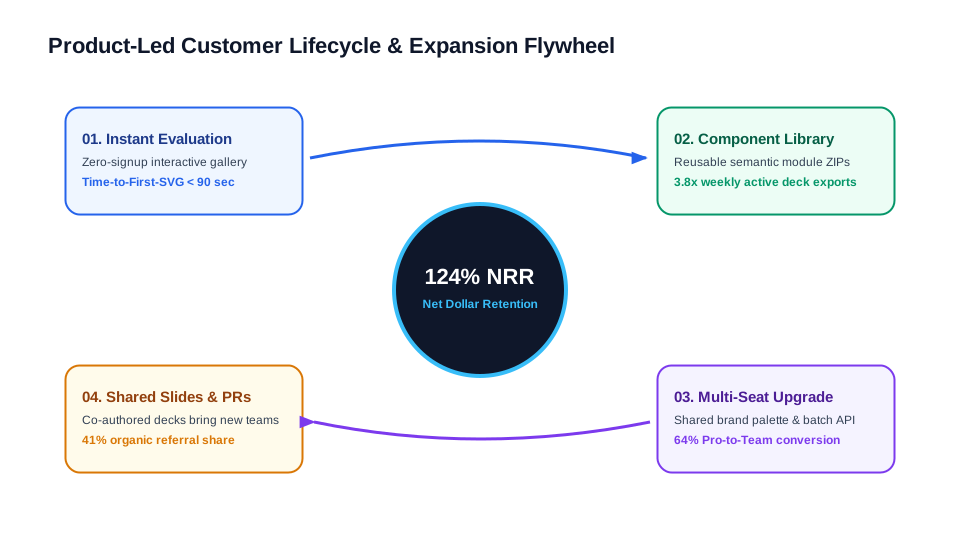
Customer Acquisition & Expansion Flywheel — Infographics: Product-led growth flywheel with central Net Dollar Retention core, four quadrant stage cards, and circular momentum connectors.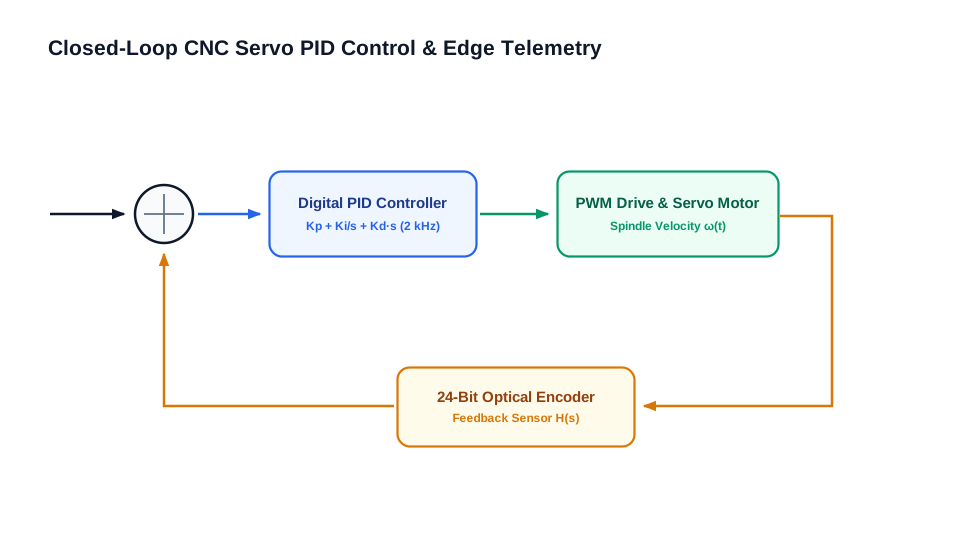
Industrial PID Control & Edge Telemetry Loop — Flowcharts & architecture: Closed-loop servo control schematic with summing junction, PID controller, PWM drive, optical encoder feedback, and telemetry bus.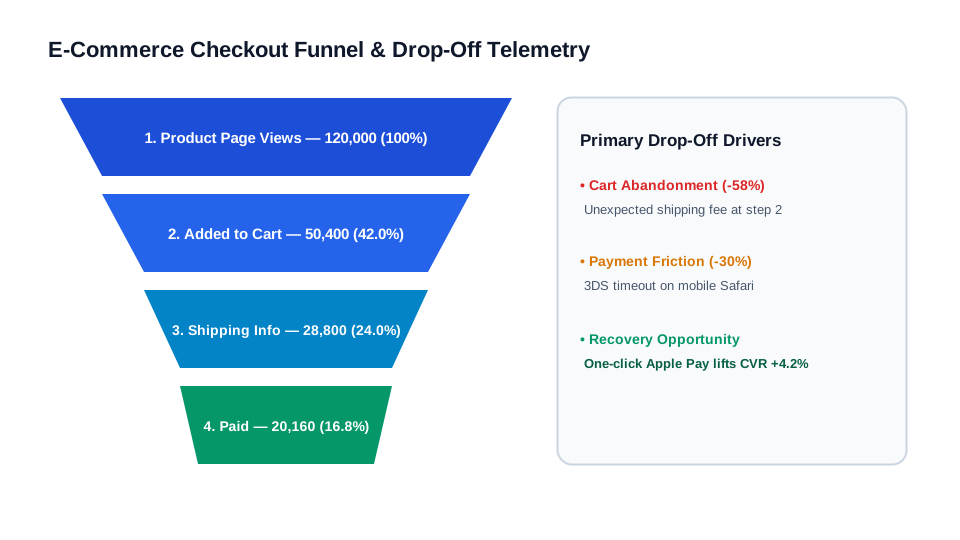
Checkout Conversion Funnel & Drop-off Chart — Charts: Four-stage e-commerce conversion funnel with trapezoid polygon stages, step conversion rates, and drop-off reason cards.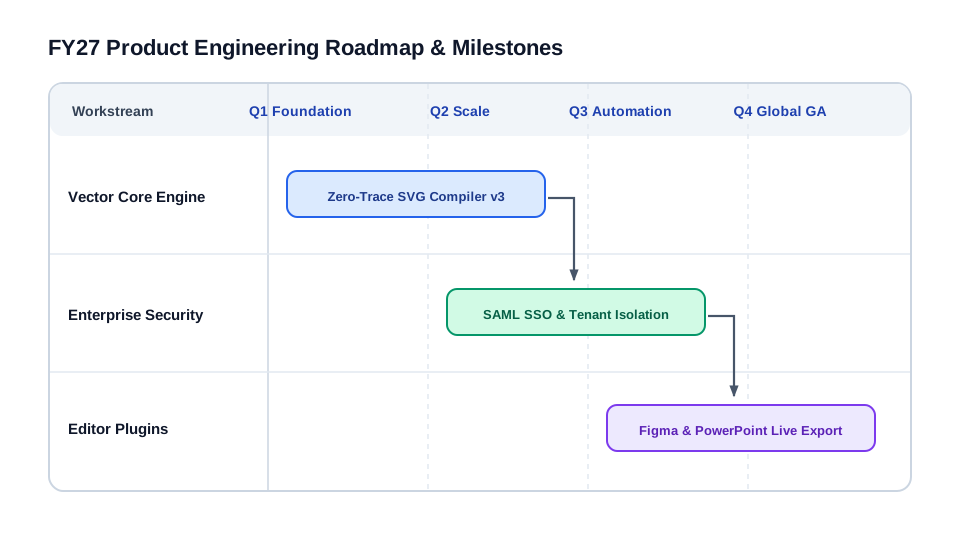
Product Engineering Roadmap & Dependency Timeline — Infographics: Quarterly engineering roadmap with swimlane tracks, milestone Gantt bars, and cross-team dependency arrows.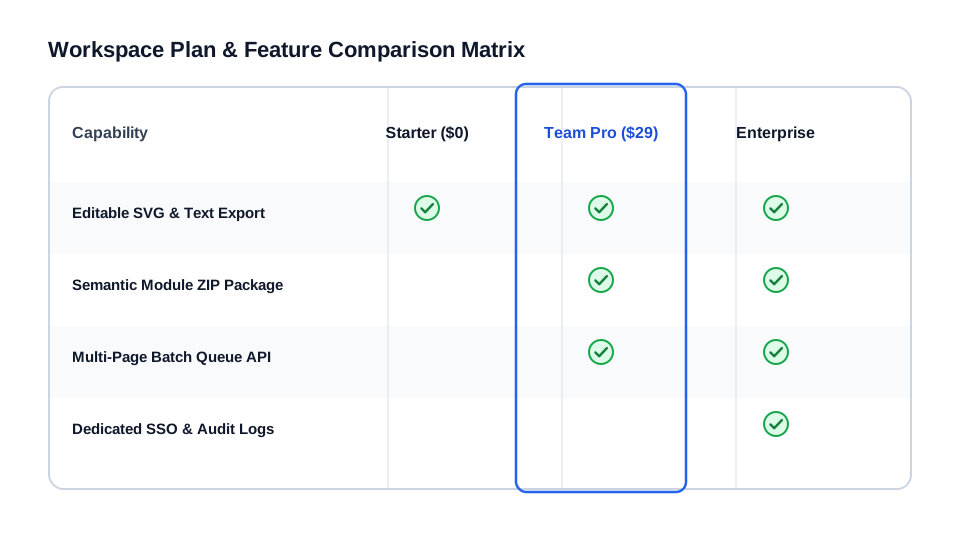
SaaS Tier Feature Comparison Matrix — Infographics: Three-tier pricing and feature matrix with aligned column headers, alternating row bands, and reusable checkmark icon assets.
Q4 Cloud Infrastructure Spend Breakdown — Charts: Multi-segment donut chart with circular SVG arc paths, hollow center run-rate KPI, and category legend cards.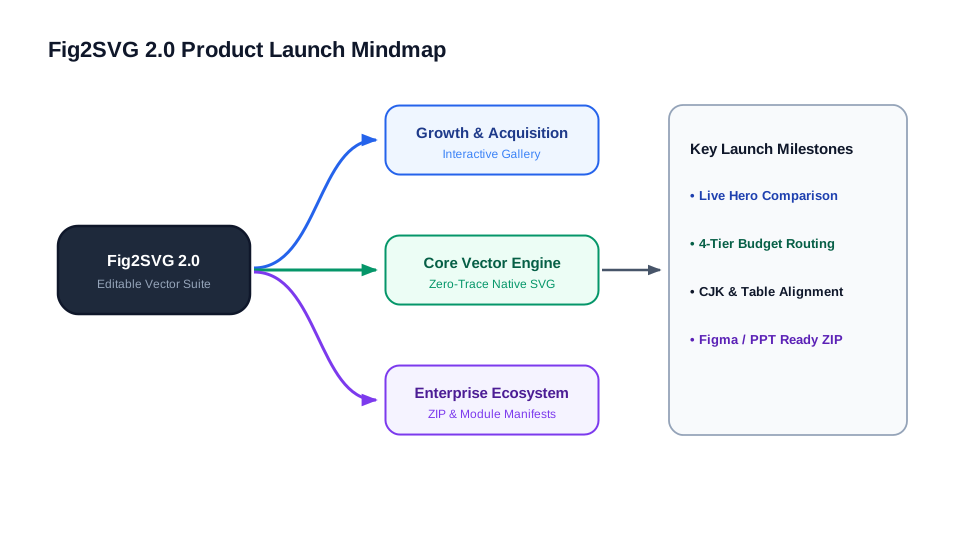
Product Launch Strategy Mindmap — Flowcharts & architecture: Hierarchical strategy mindmap with cubic Bezier branch connectors, shared trunk junctions, and action cards.
How it works
- Upload your diagram or chart PNG: Pick Quick (10 cr) for simple flowcharts or Balanced (20 cr) for dense multi-swimlane architectures.
- Select modules or objects to verify: Click any arrow endpoint or text box in the inspector to check label accuracy and hierarchy.
- Drop straight into Figma or slides: Export full figure SVG or compatibility ZIP so connectors and arrowheads import cleanly into PowerPoint and Figma.
Frequently Asked Questions
Which diagram types work best?
System architectures (RAG, microservices, sequence diagrams), clinical decision trees, industrial PID loops, product roadmaps, revenue charts, and mindmaps.
Can I fix outdated service names or metric numbers after conversion?
Yes — all diagram labels are reconstructed as editable SVG text nodes, and you can also preview text changes inline before exporting.
How fast is Quick mode for clean flowcharts?
Quick mode requires only 10 credits and focuses on fast reconstruction for lightweight flowcharts and clean charts.
Do unused credits expire immediately if I cancel before processing starts?
Queued jobs cancelled before model processing starts automatically refund credits back to your wallet.
Related Vector Conversion Guides
- Image to PowerPoint & Figma SVG — Compatibility-flattened arrowheads and normalized baselines for lossless import into PowerPoint, Keynote & Figma.
- PNG to SVG with Editable Text — Preserve titles, axis labels, subscripts, superscripts, and Greek symbols as native <text> elements.
- PNG to Editable SVG — Rebuild PNG, JPG, and TIFF figures into layered vectors with separate objects, modules, and clean SVG paths.
- Scientific Figures to SVG — Rebuild Nature-style schematics, CFD/FEA contours, device stacks, and cell pathways into publication-ready vectors.
Need help or billing support? Contact support@fig2svg.online.